

Creative writing software often forces authors and readers to juggle separate tools for drafting, publishing, audio conversion, and feedback, wasting time and creating file-handling headaches. Most platforms either gate key features like real-time collaboration, multi-format publishing, or direct monetization behind costly subscriptions or lack community engagement entirely. This comparison covers creation, publication, collaboration, and pricing across five creative writing platforms so you can select one that fits your workflow and audience without trial-and-error setup.
Table of Contents
Librida
At a Glance
Full audiobook playback with selectable voices and a built-in token marketplace let authors publish audio and text and monetize directly on the same platform. Librida pairs AI-assisted book generation and multi-language translation with community features like comments and followers.
Core Features
- Create, read, and publish books across formats including full audiobooks and text.
- AI-generated books plus moderation tools to help shape drafts and detect issues.
- Multi-language translation and AI discovery tools to widen readership beyond one language.
- Community features: comments, followers, and a token marketplace for direct monetization.
- Privacy-forward settings and controls for essential data use.
Key Differentiator
The clearest distinction is the platform-level integration of content creation, social discovery, and monetization. Authors can move from draft to audio to paid distribution without stitching together separate services, while readers discover works through the same community signals.
Pros
- Authors save time on production because Librida bundles draft generation, translation, and audiobook rendering in one workflow. That reduces tool switching and file handoffs.
- The token marketplace offers a direct revenue path from fans to creators, which helps small authors test paid models without a separate storefront.
- Community features such as comments and followers create feedback loops that support iterative editing and early marketing.
- Multi-language support and AI discovery increase potential reach for nonnative authors or works targeting international readers.
- The platform emphasizes privacy and limited essential data use, which matters for educators and readers handling student work.
Cons
- Limited information on pricing and subscription tiers makes it hard to budget for long term; the platform appears informational only regarding costs right now.
Who It's For
Authors who want a single place to draft, produce audio, translate, and publish without juggling multiple vendors. Readers interested in discovering emerging authors across languages. Educators running digital book projects or community groups that want shared feedback and a simple monetization option.
Unique Value Proposition
A combined production and monetization path. Librida lets an author generate a draft with AI, render an audiobook voice, and list the work in a token marketplace without exporting files or wiring separate payments. That workflow turns attention into revenue faster than assembling three separate providers.
Real World Use Case
A novelist generates a first draft with Librida’s AI, selects a narrator voice for the audiobook, adds Spanish and Portuguese translations, and publishes. Early readers leave targeted feedback in comments while supporters buy access or tip via tokens, funding a second draft.
Pricing
Not applicable — informational only. The platform’s public materials do not list subscription tiers or per-feature fees, so expect to contact Librida for commercial terms or wait for published plans.
Website: https://librida.com
SCRIB
At a Glance
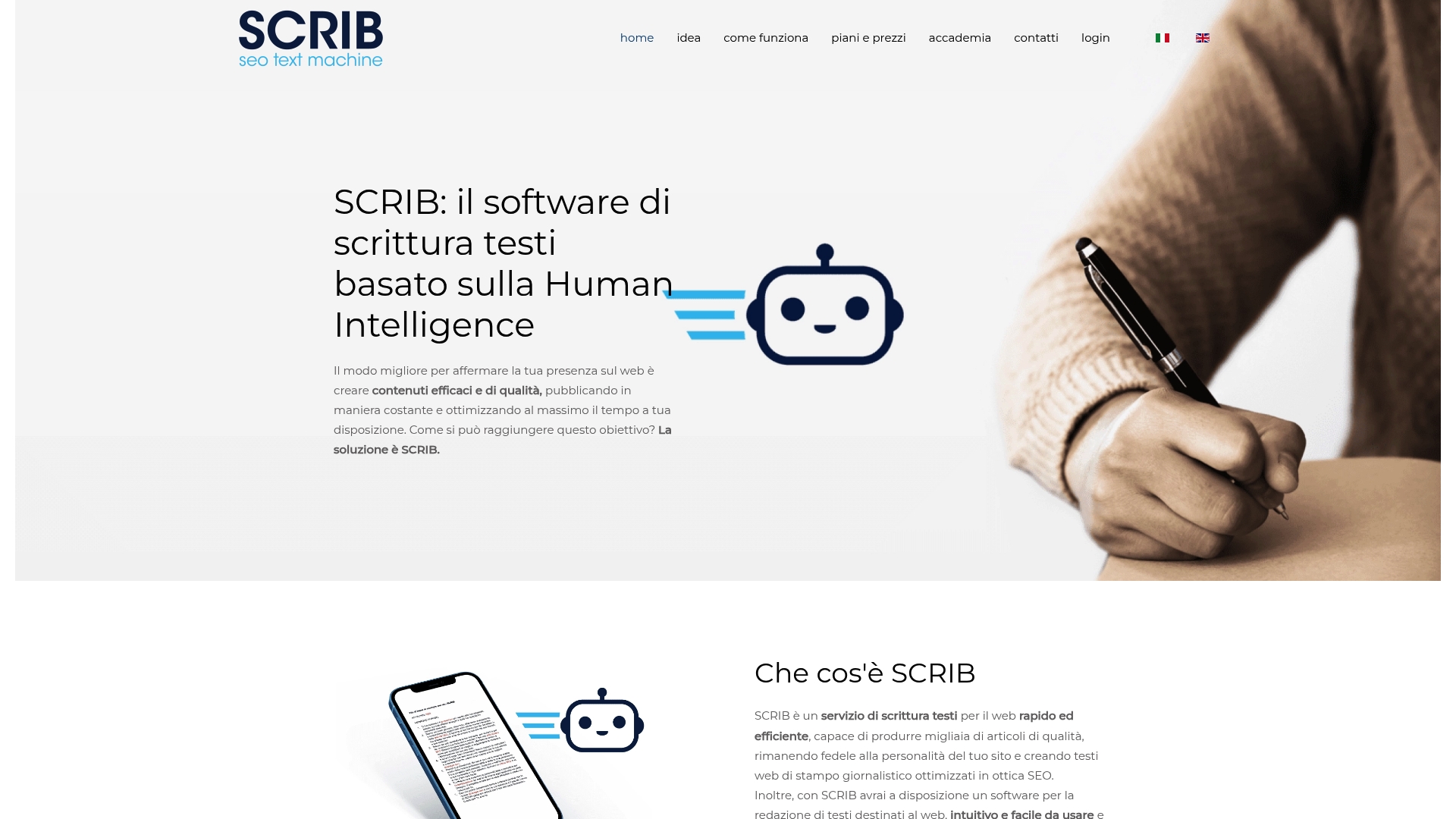
SCRIB's marketing materials state it relies exclusively on human writers rather than AI, and the vendor advertises the ability to produce thousands of SEO-optimized articles. That positioning is aimed at teams that want original, human-crafted copy while avoiding AI-related ranking concerns.
Core Features
- System based on a Human Intelligence workflow that assigns human writers to briefs and editing.
- Capacity to generate high volumes of SEO-optimized, site-personalized articles with variants for testing headlines and introductions.
- A newsroom-style editor designed for editorial teams plus training support via an academy and live sessions.
Key Differentiator
SCRIB's core claim is the human-only production model. That focus narrows its audience compared with AI-assisted writing platforms. For agencies and SEO professionals who prioritize purely human authorship to reduce perceived AI signals, SCRIB presents a distinct, specialist option.
Pros
-
Content quality leans on human judgment which often gives better nuance and tone control than automated generators. This helps preserve a site's voice across many articles.
-
The human model reduces reliance on automated text, a point many SEO teams cite when they try to lower perceived AI footprints in published content.
-
The platform is built for scale. The vendor advertises thousands of deliverable articles and supports batch workflows for agencies and publishers.
-
Training and hands-on support are part of the offer. The academy and livezoom sessions aim to bring in-house teams up to speed quickly.
Cons
-
Human-driven writing usually costs more than fully automated output and delivery times track human availability rather than instant generation.
-
Using the system effectively requires editorial training and process alignment which adds ramp time for teams new to the model.
-
Public reviews do not list detailed third-party limitations, so quality and throughput claims stay vendor reported and depend on operator skill.
When It May Not Fit
If your priority is immediate, low-cost bulk drafts for iterative testing, a purely AI-driven solution will likely be faster and cheaper. If you lack bandwidth to train writers or to manage editorial quality, this human-first approach can add overhead.
Who It's For
Agencies, professional SEO consultants, and marketing teams that need original web copy and prefer human authorship to reduce AI signals. It fits organizations willing to invest in editorial process and training to protect search visibility.
Real World Use Case
A digital marketing agency uses SCRIB to supply monthly article packages for multiple local clients. The agency assigns briefs, uses the academy to onboard writers, and publishes human-edited articles that match each client brand voice.
Pricing
Pricing varies by plan. The vendor lists Starter, Basic, Advanced, and Personal tiers on the site. Exact rates and included word volumes are available on SCRIB's pricing pages.
Website: https://scrib.info
I, Librarian
At a Glance
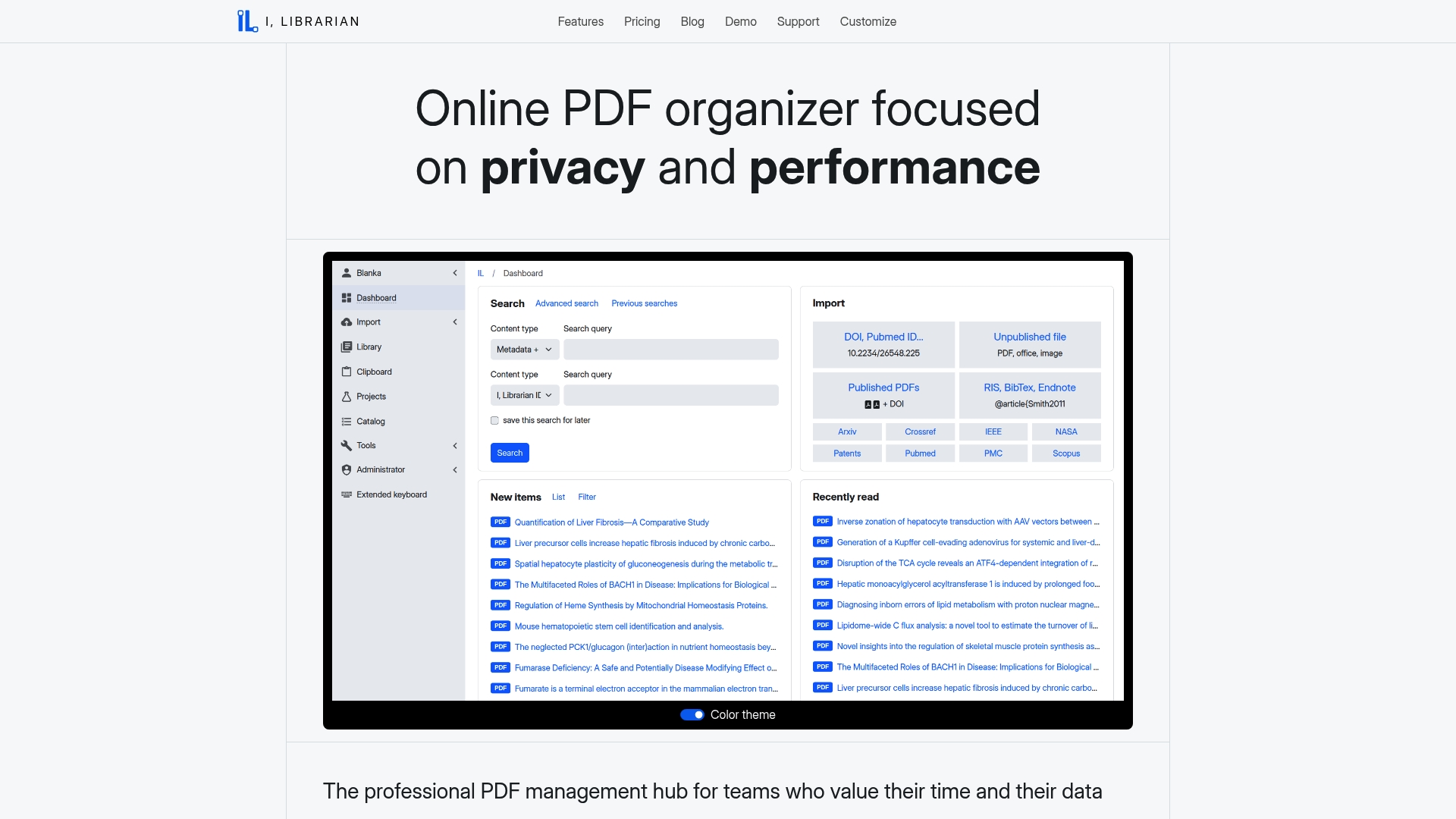
SaaS and self-hosted deployment with a centralized no-sync database for research teams that need to control where PDFs and metadata live. The product combines in-browser PDF annotation with AI-driven summaries and unified search across major repositories for literature discovery.
Core Features
- Faceted full-text search that returns snippets and ranks hits across imported PDFs and external repositories.
- In-browser PDF viewer with annotation so researchers highlight, tag, and comment without forcing local file copies.
- AI PDF and project chat for on-demand summaries, question answering, and quick extraction of methods and results.
- Unified search of Crossref, PubMed, IEEE, and NASA to expand literature coverage.
- Centralized knowledge repository that removes per-device sync and stores activity logs and analytics.
Key Differentiator
The design centers on a privacy-first, no-sync centralized database architecture that preserves data sovereignty for institutions with strict policies. Combined with AI research tools and direct repository queries, the setup favors groups that want a single authoritative corpus rather than distributed, device-level libraries.
Pros
- Strong privacy posture. The option for on-premises deployment lets IT teams keep data behind institutional firewalls and adhere to local data policies.
- Research-focused AI features speed literature triage. The AI chat and summaries reduce time spent reading by surfacing methods, results, and limitations quickly.
- Centralized model simplifies collaboration for large teams. No sync means every team member queries the same canonical repository and sees unified annotations and activity logs.
- Broad repository coverage helps catch gray literature and conference material that a single index might miss, improving comprehensiveness of reviews.
- Built-in publication analytics and user activity logs provide administrative insight for librarians and research managers.
Cons
- Setup complexity. Buyer feedback flags self-hosted installation and customization as potentially demanding for small teams without dedicated IT support.
- Pricing detail is sparse in marketing materials; tier descriptions exist but enterprises will need direct quotes to understand storage and support costs.
- No explicit offline mode is described. Teams that need reliable local access on laptops or in the field may find that gap limiting.
When It May Not Fit
If your group lacks an IT admin or prefers a purely plug-and-play SaaS experience with minimal configuration, the server setup burden could be prohibitive. Also, teams that require guaranteed local offline access across many devices should consider other tools that explicitly support offline libraries.
Who It's For
Research institutions, corporate R&D groups, and regulated labs that prioritize data sovereignty and need centralized literature management. Ideal when compliance, audit logs, and institution-wide canonical collections matter more than quick consumer-grade install simplicity.
Real World Use Case
A university lab imports tens of thousands of PDFs into the centralized database, then uses the AI chat to produce concise summaries for each project. Librarians run analytics to track reading activity and export citation sets for grant reports while policy keeps data on campus servers.
Pricing
Tiered plans start at $2 per month for Lite and $3 per month for Pro, with self-hosted license options available. Final costs depend on user count, storage needs, and whether you choose SaaS or on-premises deployment, so request a quote for enterprise sizing.
Website: https://i-librarian.net
Libra
At a Glance
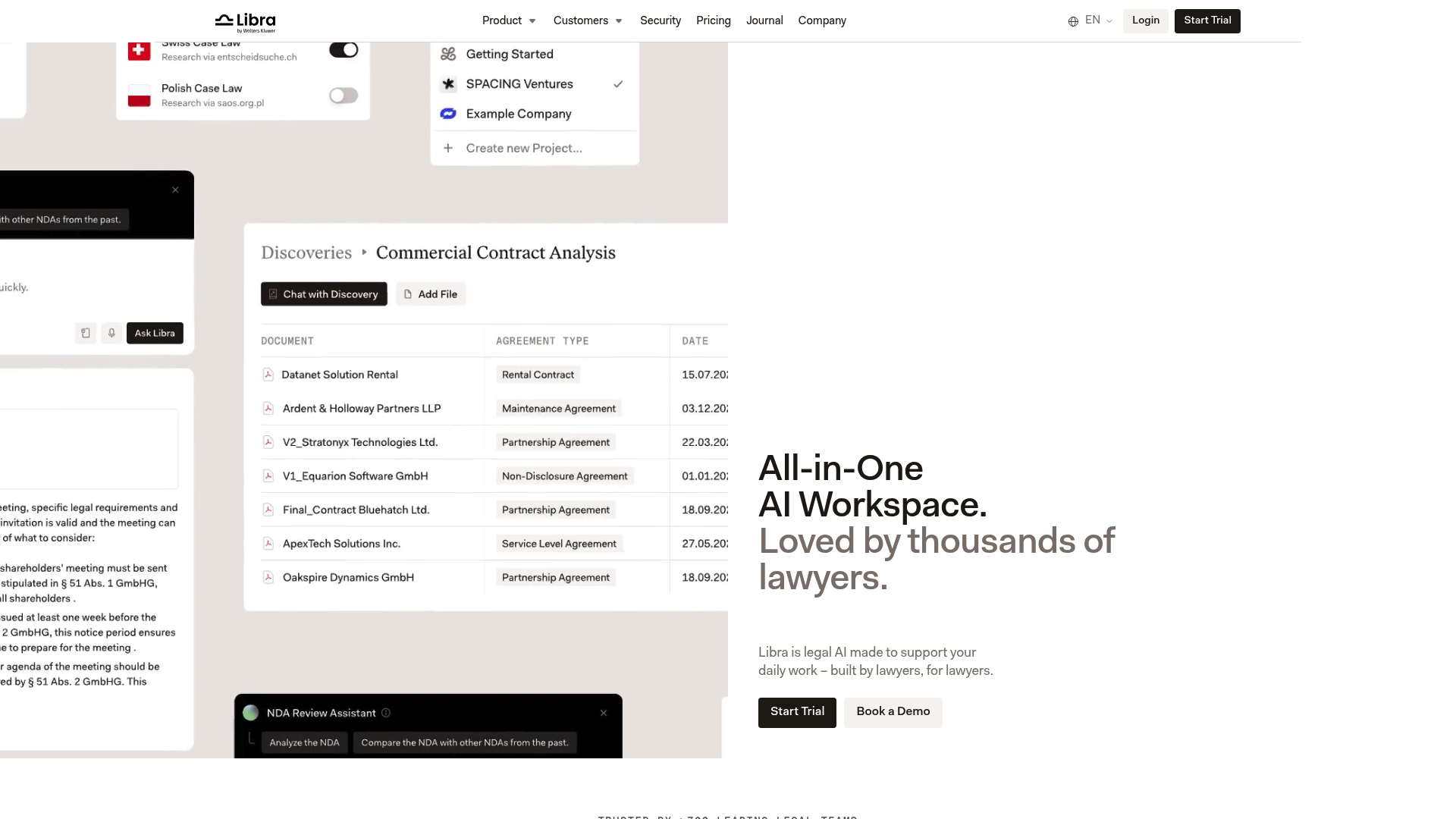
The vendor reports that Libra is trusted by more than 700 legal teams worldwide, a detail that signals the product’s traction among law firms and corporate legal departments. Libra combines research, drafting, review, and workflows into a single workspace built for legal use.
Core Features
- AI-powered legal research grounded in trusted sources that surface citations alongside answers within the interface.
- Drafting, editing, and review tools that run inside MS Word & Outlook for in-context assistance while you work.
- Document analysis that checks contracts and filings against external standards and case law.
- Workflow automation to model multi-step legal processes and route approvals.
- Embedded legal databases with live answers from providers like Wolters Kluwer and Otto Schmidt.
Key Differentiator
Libra’s narrow focus on legal verifiability separates it from general-purpose writing assistants. The product’s architecture links model output to named legal data sources so assertions are traceable, reducing the risk of unsupported claims when you deliver work to clients.
That emphasis makes accuracy auditable rather than aspirational. For teams that must cite authority, that tradeoff matters more than a generic assistant that guesses.
Pros
- Tailored for lawyers: built by lawyers, the interface and prompts match common legal tasks rather than generic office work.
- Strong security posture with ISO 27001 and GDPR compliance listed, which matters for firms handling sensitive matters.
- Deep integrations with legal databases and Office apps let reviewers stay inside Word or Outlook instead of copying text between tools.
- Broad feature set covers the lifecycle from research to automated approvals, reducing tool sprawl for departments that adopt the platform.
- Vendor-reported adoption provides a level of peer validation for procurement teams comparing options.
Cons
- Steep learning curve reported by third-party reviews; the comprehensive feature set requires training and initial configuration.
- Pricing is geared toward larger teams, making the product relatively expensive for solo practitioners or very small boutiques.
- Some internal knowledge integrations and document management connectors are listed as coming soon, which limits full functionality initially.
When It May Not Fit
If you need a lightweight tool for a single lawyer or a two-person shop, Libra’s breadth and price may be overkill. The platform also favors structured team workflows; small teams that rely on ad hoc collaboration or basic drafting may find simpler editors faster to adopt.
If your firm depends on an internal document system not yet supported, you will face feature gaps until those connections arrive.
Notable Integrations
- Wolters Kluwer
- Otto Schmidt
- German Case Law
- European Union Case Law
- SharePoint
- OneDrive
- iManage (coming soon)
- MS Word & Outlook
Who It's For
Mid to large-sized law firms and corporate legal departments that require verifiable AI output, native Office integration, and enterprise-grade security. Teams that archive research and need audit trails for opinions will find Libra aligns with that workflow.
Real World Use Case
A mid-size law firm automates contract review by applying Libra’s document analysis to standard clauses, routing flagged items through an approval workflow, and exporting annotated drafts back into Word. The team reports faster turnaround on routine reviews and fewer missed noncompliant clauses.
Pricing
Pricing is per user with tiered plans: € 90 per user/month for Starter, € 200 for Professional, and € 233 for Team, available with monthly or yearly billing options.
Website: https://libratech.ai
Uncover
At a Glance
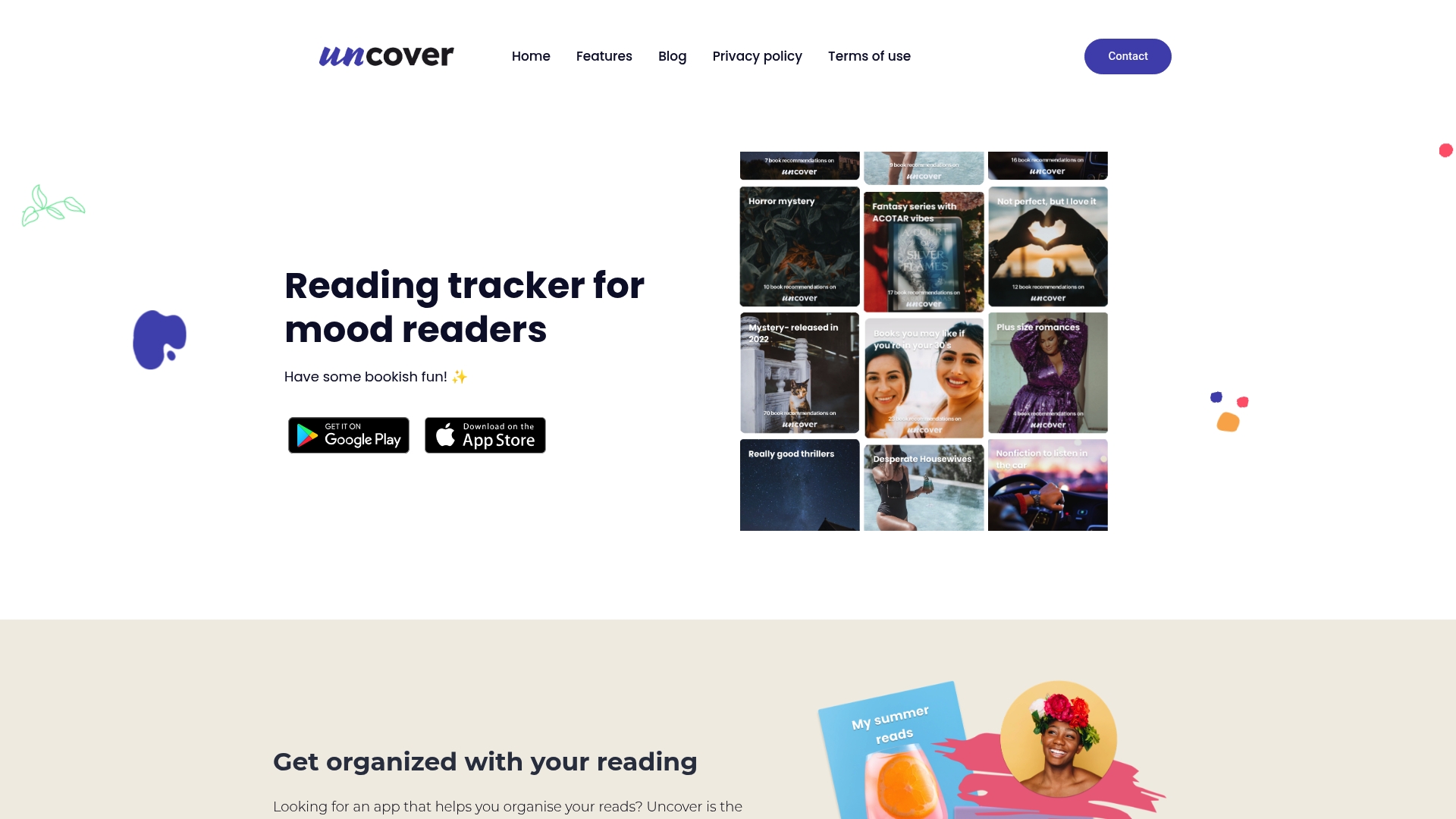
The vendor advertises a database holding millions of cover images for highly visual shelving, plus automatic monthly reading wrap-ups that summarize what you read and when. This combination targets mood readers who want creativity over rigid lists.
Core Features
Uncover centers on personalized categories so you can tag and shelve books by vibe, project, or mood. The app tracks reading states like Started, Want to Read, Finished, and Stopped and produces monthly wrap-ups automatically.
Community features let you follow people, share collections, and post to a social feed. Built-in book challenges such as A to Z or Romance Challenge update your progress when you mark a book read.
Key Differentiator
Uncover pairs visual shelving with social discovery. That emphasis on creative organization plus community activity makes the app feel like a shared bookshelf rather than a private tracker. If you read by mood and enjoy swapping lists or taking playful challenges, Uncover leans into that habit.
Pros
- The image database above powers visually rich shelves, which helps when you want aesthetic collections or cover-based browsing rather than plain lists.
- Automated summaries reduce manual logging work by compiling your monthly activity into a single snapshot.
- Community features make discovery social. Following users and sharing collections surface books you might not find on algorithmic feeds.
- Challenges inject variety. The automatic updates when you finish a book keep momentum without extra input from you.
- Mobile availability on Google Play and the App Store means you can sync reading activity across devices.
Cons
- The vendor supplies limited third-party reviews, so reported stability and polish are hard to verify.
- The vendor does not detail subscription tiers or paid features, suggesting the app may run on a free or freemium model without published premium options.
- Documentation about privacy controls and data sharing is sparse in public materials, which may concern privacy-minded members.
When It May Not Fit
If you need strong privacy guarantees or clear enterprise style controls, Uncover may be a poor match because public materials do not describe data protection settings. Also skip it if you want an app focused on authoring or publishing workflows rather than social reading.
Who It's For
Avid readers who prefer organizing by mood, cover art, or theme and who enjoy sharing collections. Ideal for people who treat reading as a social pastime and who gain motivation from playful challenges and visible monthly recaps.
Real World Use Case
A reader creates custom shelves titled Quiet Sundays and Rainy Afternoon Mysteries, fills them using the image database, then joins an A to Z challenge. Each finished book updates their challenge progress and appears in a monthly recap that they share with followers to spark recommendations.
Website: https://theuncoverapp.com
Comparative Analysis of Creative Writing Platforms
Choosing the best platform for creative writing hinges on specific needs such as content creation options, ease of use, collaboration tools, and monetization methods. This analysis highlights the distinctions among several noteworthy options, including Librida, SCRIB, I, Librarian, Libra, and Uncover.
Multi-Functionality for Authors
Librida leads by integrating drafting, translation, audiobook production, and marketplace monetization in one cohesive workflow. This eliminates the need to juggle multiple tools, highly beneficial for independent authors or educators managing extensive projects. By contrast, SCRIB specializes solely in content creation with a human-first approach, emphasizing SEO-optimized article writing rather than diverse functionality. Uncover, with its mood-based categorization, caters to avid readers rather than authors producing and distributing works.
Research and Professional Applications
For environments like academic research or legal practices, platforms such as I, Librarian and Libra provide tailored functionalities. I, Librarian emphasizes a centralized and privacy-oriented repository critical for controlled data access, making it ideal for institutional research teams. Alternatively, Libra caters to legal professionals with features like AI-augmented authenticating research and workflow management within industry-standard tools like MS Word and Outlook. These niche focuses, while powerful in their domains, do not replicate Librida’s streamlined approach to multi-format creative content production.
Best Fit Scenarios
- Librida: for independent authors or educators who require integrated tools to create, publish, and monetize across multiple formats.
- SCRIB: Preferred by marketing agencies or SEO consultants valuing human-authored, high-quality written content.
- I, Librarian: Ideal for research teams demanding secure access to centralized literature repositories.
- Libra: Tailored for legal teams needing verifiable research and workflow automation.
- Uncover: Engaging for dedicated readers looking for community engagement and aesthetic organization of reading collections.
Our Pick
For users requiring an all-encompassing solution to author, distribute, and monetize content efficiently, Librida stands out. Its cohesive integration of drafting, audio rendering, and audience engagement offers a distinctive, time-saving advantage. While not specialized for fields like research or law, its versatility ensures broad applications for contemporary content creators.
Creative Writing Software Comparison
Explore the distinct features, benefits, and limitations of leading creative writing platforms to determine the best solution for your needs.
| Product | Core Feature | Key Differentiator | Best For | Notable Limitation |
|---|---|---|---|---|
| Librida | Audiobook and text publishing | Integrated creation, discovery, and monetization | Authors and educators | Pricing details currently undisclosed |
| SCRIB | Human-crafted SEO articles | Exclusively human-intelligence-driven content | SEO agencies and editorial teams | Higher cost and longer lifecycles than AI outputs |
| I, Librarian | Centralized research database management | Privacy-first architecture for data sovereignty | Research institutions | Setup complexity for small, under-resourced teams |
| Libra | Legal document research and drafting | Integrated legal source traceability | Mid-to-large legal firms | High initial training required for feature adoption |
| Uncover | Visual book shelving and reading challenges | Community-focused features for mood and theme organization | Socially motivated avid readers | Sparse documentation on privacy settings |
Discover a Smarter Alternative to Litera-reader.com with Librida
Many aspiring authors find themselves juggling multiple tools for drafting, editing, and publishing their stories. The article on litera-reader.com alternatives highlights common frustrations such as tool switching, scattered workflows, and limited direct monetization options. Librida offers a unique solution by combining AI-assisted writing, multi-language translation, audiobook creation, and a token marketplace all in one platform. This means you can focus on your story while saving time and avoiding headaches from managing separate services.
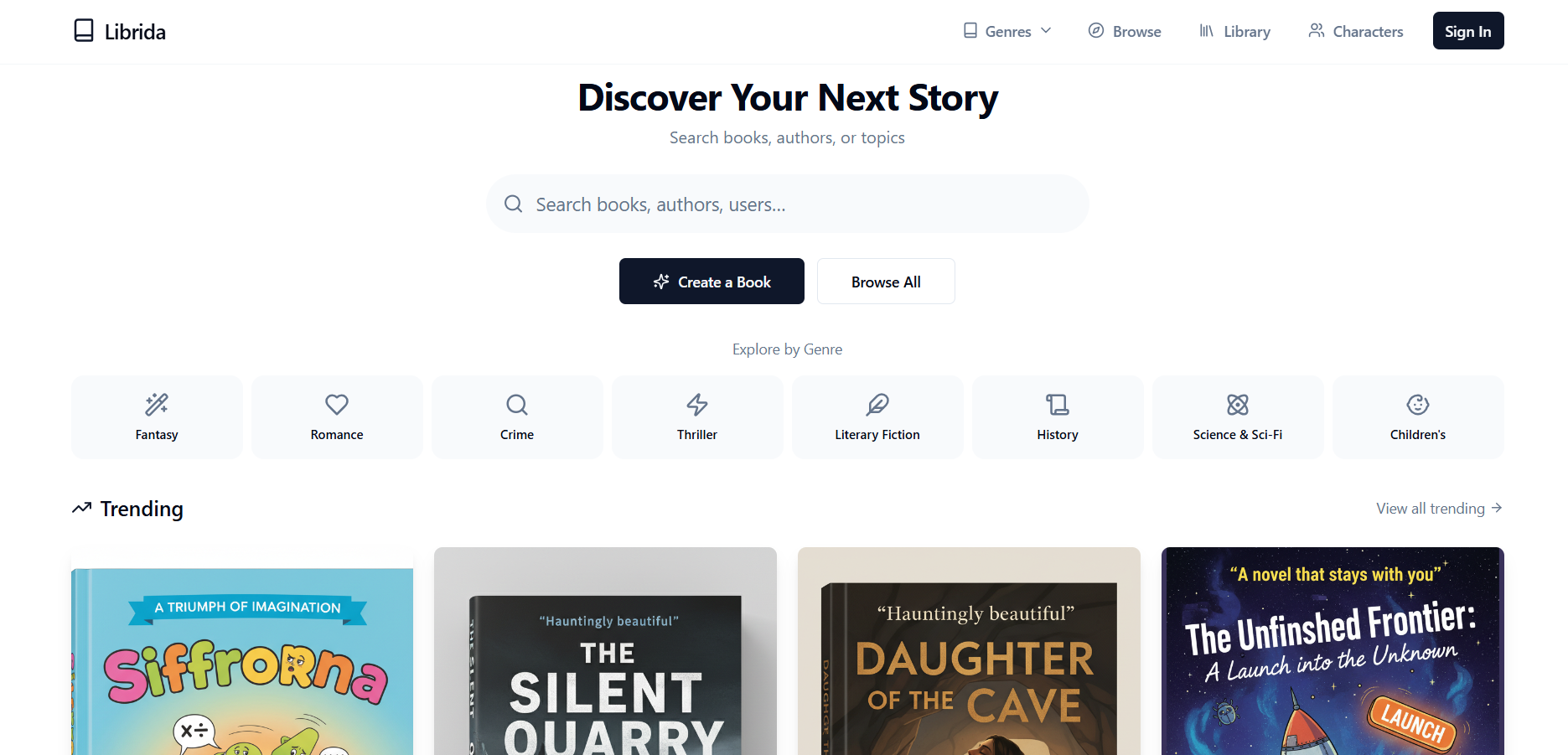
Ready to transform your ideas into published books without the hassle? Visit Librida and experience streamlined book creation with AI-powered tools designed to guide you every step of the way. Publish your work, reach global readers, and even monetize your stories effortlessly—all under one roof.
Frequently Asked Questions
How does Librida help streamline the creative writing process for authors?
Librida allows authors to create, read, and publish books across formats, including full audiobooks and text. This feature reduces the time spent in production by bundling draft generation, translation, and audiobook rendering in one workflow. Authors can expect to save time and effort, enhancing their overall writing experience.
What is the difference between Librida and SCRIB in terms of content production?
SCRIB produces content exclusively through human writers, which ensures a level of nuance and tone control that automated generators may lack. In contrast, Librida combines AI-generated books with human moderation tools, allowing for a faster production cycle. Authors should choose based on whether they prioritize human authorship or a more rapid, AI-assisted workflow.
Which platform offers better community features for feedback on creative writing?
Librida includes community features such as comments and followers, creating feedback loops that support iterative editing and early marketing. This feature enhances authors’ engagement with their audience, allowing for real-time feedback that can guide revisions and improve writing quality.
Can I monetize my works directly through Librida?
Yes, Librida features a built-in token marketplace for direct monetization, allowing authors to earn revenue from their fans. This setup enables authors to test paid models without needing a separate storefront, making it easier to generate income directly from their creations.
Does Librida provide multi-language support for authors?
Yes, Librida offers multi-language translation capabilities, which can help authors reach broader audiences beyond just their native language. This feature allows nonnative authors or those targeting international readers to expand their readership significantly.